Xbox One Consoles and Editions
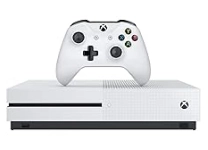
Xbox One consoles bring together gaming, digital entertainment, and online play in a home system. The original Xbox One, Xbox One S, and Xbox One X differ in size, processing capability, and video features; the One S and One X also support 4K video playback, while game performance and visual enhancements depend on the title. Some models include a disc drive, while all can access digital games through an Xbox account. When comparing a console, check its storage capacity, included controller, ports, physical condition if pre-owned, and whether the package contains needed cables. Consider available space, display resolution, and the games you plan to play. Ubuy helps shoppers discover international Xbox One consoles and related products, with listing details to review before choosing.
- Compare original, One S, and One X models
- Check disc drive and storage capacity
- Match video features to your display
Xbox One Games, Genres, and Formats
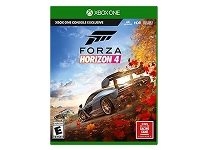
Build a library around the experiences you enjoy, from action, adventure, and role-playing games to racing, sports, simulation, and family-friendly titles. Xbox One games are sold on physical discs and as digital downloads, so choose a format that suits your console and how you prefer to manage a collection. Disc editions require a compatible disc-drive console and may still need downloads or updates; digital purchases are associated with an account and require suitable storage. Before buying, check the game's platform compatibility, supported players, language details, online requirements, and any included add-ons or edition bonuses. Some titles offer multiplayer or cross-platform features, but support varies by game. Compare age ratings and gameplay descriptions to find options appropriate for each player.
- Choose disc or digital editions
- Check compatibility and online requirements
- Explore action, sports, racing, and more
Xbox One Controllers and Input Devices
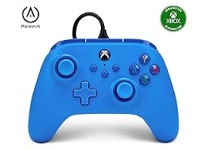
A controller is central to comfort and responsiveness, whether you play solo, compete online, or share games locally. Compare standard wireless gamepads with wired controllers, specialized models, and accessories such as charging docks, rechargeable battery packs, thumb grips, and controller cases. Look at connection type, button layout, trigger feel, headset connection, and power requirements. Some controllers offer remappable inputs or adjustable controls, which can help tailor the setup to different games and preferences. Compatibility can vary across Xbox consoles, Windows devices, and accessories, so confirm the supported platforms and connection method before purchasing. For households with multiple players, check whether you need additional controllers and charging options. Ubuy offers a place to discover Xbox One controller options from recognized makers such as Microsoft and PowerA; verify each product's specifications.
- Compare wired and wireless options
- Review comfort, controls, and connectivity
- Confirm platform compatibility
Headsets, Audio, and Gaming Accessories
Gaming headsets can make dialogue, effects, and team communication easier to follow, while a compatible microphone supports multiplayer chat. Compare wired and wireless designs by checking the connection method, comfort, ear-cup style, microphone controls, and whether an adapter is required for your controller or console. Brands such as Turtle Beach and Razer offer gaming audio products, but features differ by model and should be confirmed in the listing. Other useful accessories include media remotes, charging stands, controller grips, and protective cases. Choose accessories based on how and where you play, and check whether they connect directly to the console, controller, or another device. Ubuy can help shoppers discover international Xbox One accessories; review included components and compatibility details to ensure a suitable setup.
- Check headset connection and microphone features
- Consider comfort for longer sessions
- Verify included adapters and cables
Storage, Connectivity, and Setup
Game installations, updates, and downloadable content can use considerable storage, making capacity an important part of an Xbox One setup. Compare console storage with compatible external USB storage options, and check supported requirements and setup instructions before adding a drive. Network access supports system updates, digital purchases, and online features, so consider your router connection, Wi-Fi signal, and available Ethernet connection. During setup, connect the console to a suitable display, sign in with an account, and review privacy and family settings. Keep ventilation areas clear and place the system on a stable surface to support everyday use. When comparing bundles, check whether HDMI and power cables are included and whether a storage accessory is external or built in. Product specifications help distinguish useful extras from items you may already own.
- Plan storage for games and updates
- Check USB and network requirements
- Review bundle contents before setup
Select the Right xbox one
Start with the console model and the games you want to play, then compare disc-drive needs, storage, display features, and available space. The Xbox One S may suit shoppers seeking a compact console with 4K video playback, while the Xbox One X offers a different performance profile; confirm individual game support rather than assuming every title uses enhanced features. Choose physical games if you value discs, or digital editions if account-based access fits your preferences. Add controllers, a headset, or external storage only after checking compatibility and connection requirements. Consider who will use the system, whether multiplayer accessories are needed, and how the console will connect to your home network and display. Compare specifications, package contents, and condition carefully. A considered match between console, games, and accessories makes shopping for Xbox One products more straightforward.
- Prioritize games and preferred format
- Match console features to your display
- Confirm accessory compatibility and package contents