Build a Practical Studio Microphone Accessory Setup
A useful studio microphone accessory setup supports clean recording and comfortable sessions without distracting from the microphone itself. Core choices include a stable stand or boom arm, a compatible shock mount, pop filter, XLR cable, and headphones for monitoring. USB microphones may connect directly to a computer, while XLR microphones usually need an audio interface or mixer with an appropriate input. Check the microphone's connector, body diameter, weight, and mounting thread before selecting hardware. Accessories can improve placement, reduce handling noise, and help manage plosive bursts, but they cannot replace good mic technique or room treatment. For a considered setup, list current gear and intended recording tasks first. Ubuy provides a platform for discovering international studio microphone accessories and comparing product specifications across different types before choosing what fits your workflow.
- Match mounts and cables to your microphone
- Plan accessories around recording tasks
- Check specifications before purchasing
Stands, Boom Arms, and Microphone Positioning
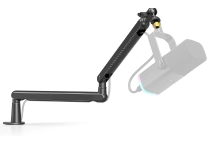
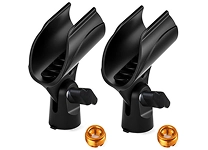
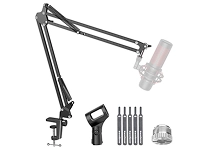
Microphone stands and mounts determine how securely and precisely a microphone can be positioned. A floor stand with a boom suits vocal booths and instruments that need flexible placement, while a weighted desktop stand can work for podcasts, voice-over, or compact recording spaces. Articulated arms free desk space and make it easier to adjust a microphone during a session; confirm desk-clamp thickness and the arm's supported load. Thread adapters may be needed when a stand and microphone clip use different fittings. Steel construction can offer a sturdy feel, while lighter designs are easier to move between setups. Brands such as K&M and On-Stage make commonly recognized stand and mounting products. Consider reach, height range, folding or storage needs, cable routing, and how much floor or desk space your recording position allows.
- Choose floor, desktop, or clamp-mounted designs
- Check thread size, reach, and supported weight
- Allow room for positioning and cable routing
Pop Filters, Windscreens, and Shock Mounts
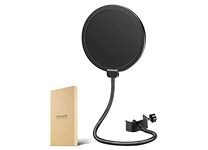
Pop filters, windscreens, and shock mounts address different recording challenges. A pop filter sits between a vocalist and the microphone to soften bursts of air from sounds such as p and b; fabric and metal mesh are common designs, and adjustable goosenecks help position them. A foam windscreen fits over a microphone and can reduce breath noise or light air movement, though it may affect high frequencies depending on the model and microphone. A shock mount suspends a microphone within an elastic cradle to limit vibration transferred from a stand, desk, or floor. Fit is essential: check microphone dimensions, shape, and mounting method, since mounts are not universally interchangeable. For studio vocals, voice-over, streaming, and spoken-word recording, select the accessory that addresses the actual noise source rather than adding every option automatically.
- Use pop filters to manage vocal plosives
- Match shock mounts to microphone dimensions
- Choose windscreens for fit and intended use
Cables, Adapters, and Recording Connections
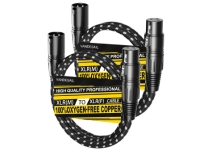
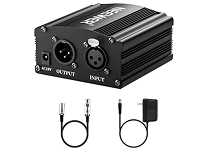
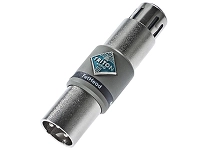
The signal path affects which microphone accessories will work together. XLR microphones generally use balanced XLR cables and connect to a preamp, audio interface, or mixer; check that the cable has the correct connector at each end and sufficient length for the room. USB microphones typically connect to a computer through their specified USB connection, so confirm connector type and device compatibility before buying adapters. Some condenser microphones require phantom power, commonly supplied by an interface or mixer, while dynamic microphones generally do not need it. Headphone adapters, cable clips, and extension leads can make a setup easier to use, but avoid assuming an adapter changes a signal type or supplies power. Brands such as Mogami and Shure are known in audio equipment, but specifications and intended use matter more than a name. Ubuy can help shoppers explore international accessories and compare connection details when assembling a compatible recording chain.
- Confirm connector type at both cable ends
- Check phantom-power and input requirements
- Use adapters only for compatible connections
Monitoring, Workspace, and Accessory Care
Comfort and organization can make recording sessions easier to manage. Closed-back headphones are often chosen for tracking because their design helps limit sound leaking into a microphone; compare fit, cable length, impedance, and the output available from your interface or computer. Headphone extension cables, desk clamps, cable ties, and storage cases can reduce clutter and help keep equipment accessible. A reflection filter may provide a nearby acoustic barrier, but it is not a substitute for treating the room or positioning the microphone thoughtfully. Keep connectors free of dust, coil cables loosely, and store pop filters and windscreens dry between uses. Inspect elastic shock-mount bands for wear and replace damaged parts with compatible components. Before each session, check stand stability, cable connections, and headphone levels. These simple habits help protect accessories and keep a home studio or dedicated recording workspace ready for voice, music, and streaming tasks.
- Select headphones suited to tracking and monitoring
- Keep cables organized and stored without tight bends
- Inspect mounts and connections regularly
Select the Right studio microphone accessories
Choose studio microphone accessories by matching each item to your microphone, recording environment, and workflow. Start with compatibility: verify connector type, mount thread, microphone dimensions, supported weight, and any power or interface requirements. Next, prioritize the issue you want to solve, such as unstable positioning, plosive sounds, stand vibration, cable clutter, or comfortable monitoring. For a basic vocal setup, a reliable stand, compatible cable, pop filter, and headphones may be more useful than several specialized add-ons. Musicians recording instruments may value adjustable boom placement and vibration control, while podcast and voice-over users may prefer a desk arm and tidy cable routing. Compare materials, adjustment range, included adapters, and care instructions in product details. Ubuy offers a way to discover international studio microphone accessories and review product information as you narrow options. Build gradually, choosing accessories that work together and support the recordings you actually make.
- Prioritize fit, compatibility, and recording needs
- Compare adjustment range and included components
- Build a setup gradually around your workflow