PlayStation 4 Consoles and Gaming Systems
PlayStation 4 products include consoles, games, controllers, and accessories built around Sony's home gaming platform. Console options commonly include the original PS4, the slimmer PS4 Slim, and the more powerful PS4 Pro. Compare each model's size, condition, storage capacity, included controller, and available ports to find a setup that suits your space and gaming habits. The PS4 Pro can provide enhanced visuals in supported games and content, while standard PS4 models remain suitable for the broad PS4 game library. When comparing listings, check whether a console is new, refurbished, or pre-owned and confirm what is included in the box. Ubuy can help shoppers discover international PlayStation 4 products, from consoles to accessories, in one category.
- Compare original, Slim, and Pro console models
- Check condition, storage, included items, and ports
- Choose a setup that fits your games and display
PS4 Games, Editions, and Genres
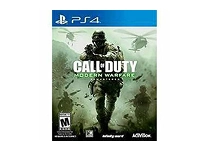
PlayStation 4 games span action, adventure, role-playing, sports, racing, simulation, strategy, and family-friendly genres. Physical editions use Blu-ray discs, while digital games are associated with a PlayStation account and require suitable access to download and play. Before choosing a title, check its platform, edition, language details where listed, player modes, and any online or peripheral requirements. Standard, deluxe, and collector's editions may include different combinations of add-ons or physical extras, so compare the contents rather than relying on the edition name alone. Some games support local multiplayer, while others focus on single-player or online play. Consider age ratings and the preferences of everyone who will use the console. Browsing by genre, series, or game format makes it easier to find a suitable addition to a PS4 library.
- Explore action, sports, racing, and more
- Compare disc and digital formats
- Review edition contents and play modes
DualShock 4 Controllers and PS4 Accessories
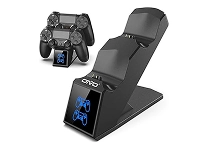
A DualShock 4 wireless controller is the standard gamepad for PS4, with a touchpad, motion sensors, light bar, speaker, and share button. Extra controllers can support local multiplayer or serve as replacements; check the listing for model, condition, included cable, and charging method. Useful accessories include charging docks, controller grips, protective cases, headset stands, and media remotes. Gaming headsets range from simple wired options to wireless models, with features such as an adjustable microphone, in-line controls, and virtual surround sound. Some accessories connect through USB, while others use the controller's 3.5 mm audio jack or wireless pairing. Confirm compatibility with the PS4 and any additional devices you plan to use. Ubuy offers a place to explore international PS4 controllers and accessories, making product details especially useful when comparing options.
- Choose an authentic-feeling controller for your setup
- Compare wired and wireless headset connections
- Check accessory compatibility before purchase
PS4 Storage, Display, and Connectivity
Storage capacity affects how many digital games, updates, and saved captures can fit on a PS4. Console models have different built-in storage configurations, and supported external USB drives can provide additional space for games. Review the drive's connection type and the console's requirements before selecting an expansion option. For display, PS4 consoles connect to a compatible screen through HDMI; the PS4 Pro can output supported content at higher resolutions on suitable displays. A stable internet connection is useful for downloads, system updates, online multiplayer, and streaming services, though requirements vary by activity. Headsets, microphones, and speakers can improve communication or private listening, but connection methods differ. Check ports, cable length, display capabilities, and network needs together so the console, screen, and accessories work as one practical gaming setup.
- Match storage expansion to PS4 requirements
- Check HDMI and display capabilities
- Consider network, audio, and cable connections
PS4 Compatibility, Setup, and Care
A smooth PlayStation 4 setup starts with checking that games and accessories are intended for PS4 rather than another console generation. Physical games require a disc drive, while digital purchases depend on the associated account and available storage. Controllers and headsets may need pairing, charging, or a wired connection before first use; follow the product instructions for the exact model. Place the console on a stable surface with room for airflow, and keep vents clear of dust and obstructions. Clean exterior surfaces gently with a dry, soft cloth, and avoid liquids near the device. For a pre-owned console, inspect the condition, included cables, controller function, and any stated account or reset status. These checks can help shoppers compare listings and prepare a reliable setup for everyday gaming.
- Verify platform and accessory compatibility
- Allow airflow and keep vents unobstructed
- Inspect condition and included items
Select the Right playstation 4
Choose a PlayStation 4 setup by balancing the console model, games, storage, and accessories you actually need. The original PS4 or PS4 Slim can suit standard gaming, while the PS4 Pro is worth comparing if enhanced performance in supported titles and compatible display features matter to you. Decide between physical discs and digital purchases based on how you prefer to build and manage a game library. Then check storage capacity, controller count, headset connections, and whether essential cables are included. If buying a game, verify its PS4 platform, edition, and multiplayer requirements; for an accessory, confirm the connection type and compatibility. Ubuy can help you discover international PlayStation 4 products across these subcategories. Compare specifications and listing details carefully so your chosen console and add-ons fit your play style and existing equipment.
- Prioritize console performance and game format
- Plan storage, controllers, and audio needs
- Confirm compatibility and package contents