Explore Computers for Work, Study, and Everyday Use
Computers support a wide range of tasks, from writing documents and joining video calls to creative production, gaming, and managing business workloads. The category includes laptops, desktop PCs, all-in-one computers, mini PCs, and high-performance workstations, each suited to different spaces and routines. When comparing options, consider where the computer will be used, which applications it needs to run, and whether portability or upgradeability matters more. Operating system, processor, memory, storage, display, and connectivity all influence the experience. A compact laptop can travel between home and work, while a desktop setup may offer a larger screen and room for peripherals. Recognized brands such as Apple, Dell, Lenovo, HP, and ASUS offer products across several computer types, making it useful to compare specifications rather than relying on brand alone.
- Laptops, desktops, all-in-ones, and mini PCs
- Options for home, school, business, and creative work
- Compare specifications alongside brand and design
Laptops and Portable Computers
Laptop computers combine a screen, keyboard, pointing device, battery, and core hardware in a portable form. Ultrabooks and thin-and-light models are designed for everyday productivity and travel, while 2-in-1 laptops convert between notebook and tablet-style use through a hinge or detachable keyboard. Gaming laptops and mobile workstations typically emphasize graphics capability, cooling, and processing performance for demanding software. Compare screen size and resolution, weight, battery capacity, ports, webcam quality, and keyboard comfort against your daily needs. Processor families, RAM capacity, and solid-state drive storage affect responsiveness and multitasking. Touchscreen support, stylus compatibility, and display aspect ratio can also matter for drawing or presenting. Check operating system requirements and charging connections when selecting a laptop for existing apps, docks, and accessories.
- Notebook, 2-in-1, gaming, and workstation styles
- Consider portability, display, battery, and ports
- Match memory and processor to your applications
Desktop PCs, All-in-Ones, and Workstations
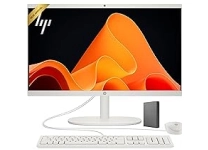
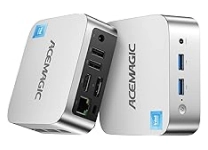
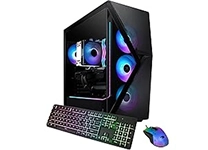
Desktop computers suit users who want a fixed workstation, a larger display, or the flexibility to choose components and peripherals separately. Traditional tower PCs can provide multiple expansion slots and space for upgrades, while small-form-factor and mini PC systems fit tighter desks but may limit internal expansion. All-in-one computers integrate the computer hardware with the display, reducing cable clutter and simplifying setup. Workstations are built for resource-intensive professional tasks such as 3D design, engineering, video editing, and data processing. Compare processor performance, graphics hardware, RAM, storage capacity, cooling, and available ports. Check the monitor's resolution and ergonomic adjustment if it is included, or factor a separate display into the setup. For gaming or specialized applications, verify that the graphics card and power supply meet the software's requirements.
- Tower, compact, all-in-one, and workstation formats
- Evaluate graphics, cooling, expansion, and desk space
- Check display and application requirements
Computer Specifications and Essential Features
Understanding computer specifications makes it easier to compare models for a particular workload. The CPU handles general processing, while a dedicated GPU can accelerate graphics-heavy tasks; integrated graphics are often suitable for everyday computing. RAM supports active applications and multitasking, and an SSD generally offers faster access to files than a traditional hard drive. Screen resolution, panel type, refresh rate, and brightness affect viewing comfort and visual detail. Connectivity may include USB-A, USB-C, Thunderbolt, HDMI, Ethernet, Wi-Fi, and Bluetooth, but port selection varies by device. Also review operating system, webcam, microphone, keyboard layout, and included power adapter. For compatibility, confirm supported software, external display connections, docking needs, and upgrade limits. These details help align a computer with study, office work, content creation, gaming, or home use.
- CPU, GPU, RAM, and SSD shape performance
- Compare screen quality and connection options
- Confirm software and peripheral compatibility
Computer Peripherals, Accessories, and Care
The right accessories can make a computer setup more comfortable and useful. Common additions include monitors, keyboards, mice, webcams, headsets, speakers, laptop stands, docking stations, USB hubs, and external drives. Choose accessories by checking connector type, operating system support, display resolution, power delivery, and intended placement. A dock can connect compatible laptops to multiple peripherals, while external storage can provide space for files and backups. For maintenance, keep vents unobstructed, clean screens and input devices using suitable methods, and install operating system and security updates. Back up important data to a separate storage location or a trusted backup service. Ubuy can be used to discover international computers and related accessories; compare product specifications carefully to ensure they suit your device and intended setup.
- Monitors, docks, input devices, and storage
- Check connectors, power, and device support
- Keep software updated and back up important files
Select the Right computers
Start by listing the tasks the computer must handle, the software those tasks require, and the environment where it will be used. For frequent travel, prioritize a manageable size, suitable battery capacity, durable construction, and the ports you need. For a home office, compare desktop and laptop setups based on desk space, screen preference, and whether you need to move the device. Creative and technical workloads may call for more memory, stronger graphics, and larger or faster storage, while everyday browsing and documents may need less. Set a practical budget, then compare complete configurations rather than one specification in isolation. Check upgrade options, included accessories, and compatibility with existing displays or peripherals. Ubuy offers a way to discover international computer products; review each listing's specifications and product details before choosing.
- Begin with workload, software, and location
- Balance performance, portability, and budget
- Verify configuration and accessory compatibility