Computer Scanner Types and Their Uses
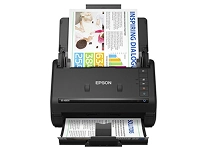
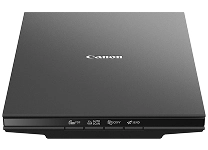
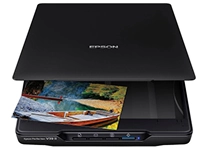
Computer scanners turn paper documents, photographs, and other flat media into digital files that can be stored, edited, shared, or searched. Flatbed scanners have a glass platen and lid, making them useful for books, photos, receipts, and delicate originals that should not pass through rollers. Sheet-fed scanners pull pages through an automatic document feeder (ADF), which can speed up multi-page tasks and suit home offices or busy workspaces. Portable scanners are compact options for scanning on the move, while photo scanners are designed to capture detail from prints and, in some models, film. Document scanners may include duplex scanning to capture both sides of a page in one pass. Choosing the right type starts with the items you scan most often, how many pages you handle, and whether portability or image detail matters more.
- Flatbed, sheet-fed, portable, and photo scanner options
- ADF and duplex features for document workflows
- Match scanner type to media and scanning volume
Resolution, Color Depth, and Image Quality
Resolution, commonly measured in dots per inch (DPI), affects how much detail a scanner captures. Higher optical resolution can help when enlarging photos, preserving fine artwork, or digitizing small originals; for everyday paperwork, a moderate setting is often sufficient and produces smaller files. Check optical resolution rather than relying only on interpolated figures, which use software to enlarge an image. Color depth influences how many shades and tones are recorded, especially in photographs and illustrations, while grayscale and black-and-white modes can keep text files efficient. Look for controls such as automatic cropping, deskew, blank-page removal, and background cleanup when scanning documents. Some scanners include optical character recognition (OCR), which converts printed text into searchable or editable content. Compare sample output, supported formats, and the quality settings available in the included software before choosing.
- Optical DPI matters for captured detail
- Color depth supports photo and artwork digitization
- OCR can make document text searchable
Connectivity, Software, and Scanning Workflow
A scanner's connection options determine how easily it fits into a computer setup. USB is common for direct connections, while Wi-Fi or network scanning can allow compatible devices to send files without a cable. Confirm operating-system support and check whether the scanner's drivers and software work with the computers or mobile devices you plan to use. Bundled applications may provide scan profiles, file naming, OCR, PDF creation, and image adjustments; workflow needs differ between archiving paperwork and preparing photos for editing. For shared offices, network features and user-friendly controls can make repeated tasks more convenient. Before purchase, review supported file types such as PDF, JPEG, and TIFF, and consider whether scans need to go to a computer, folder, or compatible application. Ubuy can help shoppers discover computer scanners and related products from international selections, with product details to compare before deciding.
- Check USB, Wi-Fi, and network connection options
- Verify driver and operating-system compatibility
- Compare software, file formats, and scan destinations
Paper Handling, Accessories, and Care
Paper handling specifications can be as important as image quality for a document scanner. Check the ADF capacity, supported paper sizes, and whether the device handles mixed page sizes, thin receipts, or long documents. A straight-through paper path or a carrier sheet may be useful for fragile or irregular originals, when supported by the model. Some scanners offer an optional transparency unit for slides or film, while photo workflows can benefit from holders and cleaning tools designed for the scanner. Keep the glass platen and feed rollers free of dust and smudges, following the manufacturer's care instructions and using appropriate materials. Remove staples and clips before feeding pages, and avoid forcing media that exceeds stated limits. Routine cleaning and careful loading can help maintain consistent results and reduce misfeeds, streaks, or unwanted marks in scanned files.
- Review ADF capacity and supported media sizes
- Check for transparency units and document carriers
- Clean platen and rollers according to instructions
Scanners for Home, Office, and Photo Projects
The best computer scanner depends on what you need to digitize and how often. Students and home users may prioritize a compact flatbed for assignments, forms, and occasional photos. Small offices often benefit from a sheet-fed document scanner with an ADF, duplex capture, and OCR for organizing invoices, contracts, and records. Photographers or creative users may focus on optical resolution, color handling, and film or transparency support. When comparing models, shoppers may encounter established names such as Canon, Epson, Brother, and Plustek; compare each product's specifications and supported workflow rather than relying on brand alone. Think about desk space, expected page volume, file management, and whether scans must be searchable or suitable for image editing. Ubuy offers a place to explore international scanner options alongside relevant accessories, helping you compare product descriptions against your particular project needs.
- Choose features around your everyday scanning tasks
- Compare specifications across recognized manufacturers
- Consider workspace, volume, and file organization
Select the Right computer scanner
Start by listing the originals you plan to scan: loose documents, bound pages, photographs, receipts, or film. Then compare scanner type, optical resolution, ADF capacity, duplex scanning, connectivity, and software support against that list. Confirm the device works with your operating system and applications, and check whether its included software supports OCR or the file formats you need. If portability is important, weigh compact size against feed capacity and handling; if image quality is the priority, review optical specifications and available color controls. Consider the scanner's footprint, ongoing care requirements, and whether accessories such as a transparency unit or carrier sheet are needed. Read product specifications carefully, since features vary by model. Ubuy can be used to explore computer scanners and compare available product information, so you can make a considered choice for your home, office, or creative workflow.
- List media, volume, and output needs first
- Confirm compatibility and required features
- Compare model details before selecting